
HYDRO-GIS is an innovative software. Download it, it’s free.
AT THE PRESENT MOMENT HYDRO-GIS IS UNAVAILABLE
AT THE PRESENT MOMENT HYDRO-GIS IS UNAVAILABLE
HYDRO-GIS is a smart software for GIS, HYDROLOGY and HYDRAULICS.
Thanks to the use of an internal folder system and a single reference system for each project, it reduces errors and unexpected malfunctions compared to other software on the market. In addition to being a GIS program, it is also a hydrology and hydraulic program, allowing for the calculation of flood hydrographs and the dynamic simulation of flooding in a specific river stretch. Both a fixed-bed model and a movable-bed model are available.
The software was initially developed entirely in English and later translated into Italian. As a result, a full English version is available.
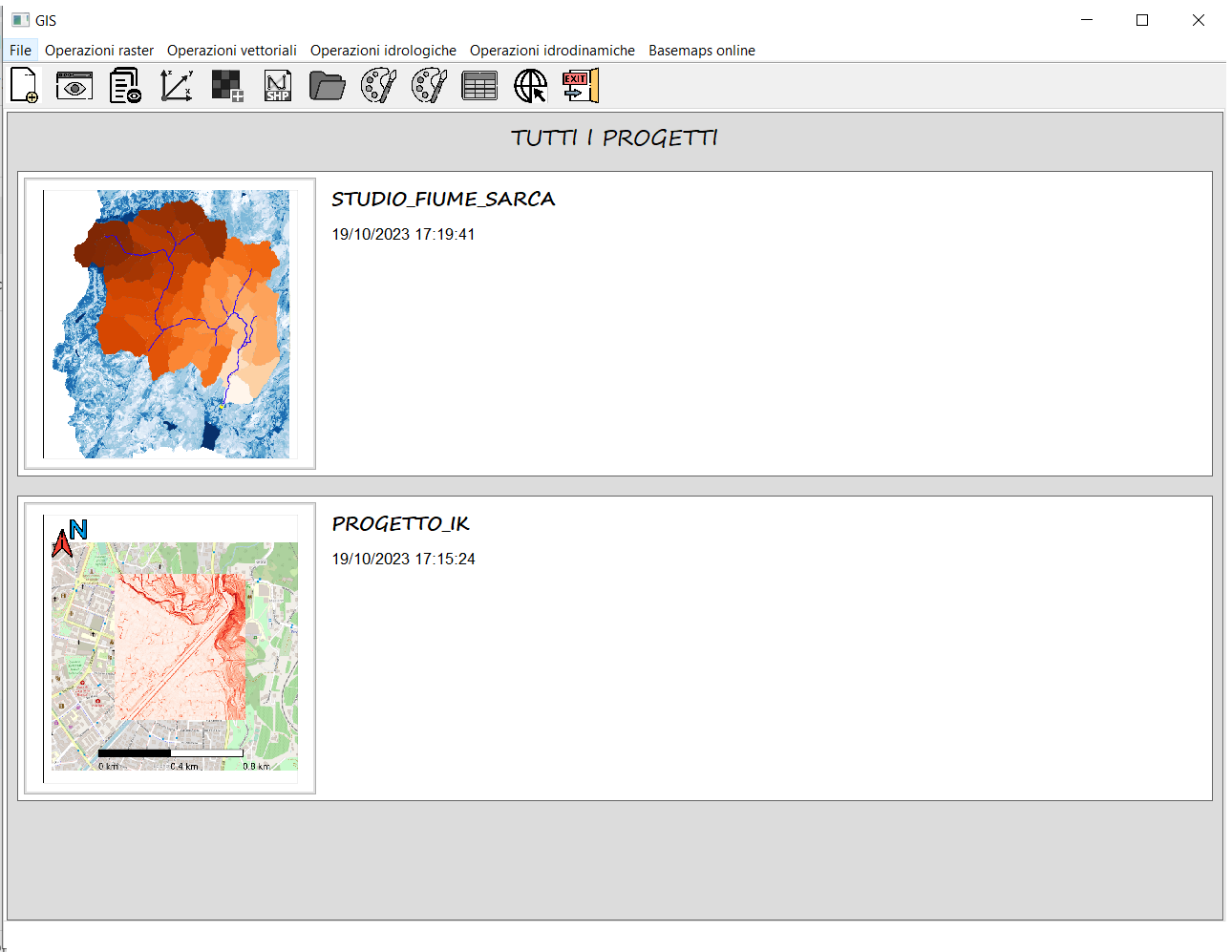
Startup Page
Upon opening, the program allows you to view all projects and to load one.


Software main window
This is the main window of the software. It consists of four elements: the ribbon bar, the layer list, the console, and the GIS window where maps are displayed.
HYDRO-GIS is a gis software
My goal with the GIS component was to amalgamate the best ideas that the two main open-source software had to offer, while also adding my own touch.
- From GRASS GIS, I adopted the concept of a ‘closed’ system, meaning the use of internal folders to store maps and a single reference system for each project. This drastically reduces unexpected situations, thus minimizing errors, bugs, malfunctions, permission issues for data operations, and errors within and between different map reference systems, etc.
- From QGIS, on the other hand, I took the idea of creating a beautiful, modern, user-friendly interface with non-blocking operations. In the fifth version, hydro-gis went above and beyond, introducing a fantastic Ribbon Bar and drag-and-drop functionalities, along with the customization of various interface panels, reaching the standard of the most advanced commercial programs.
- On my part, I developed a simple and effective system for downloading online basemaps from various sources. I implemented a system for displaying large raster files through the creation of a raster pyramid combined with tile techniques and added an extremely simple system for creating and exporting views, and many, many other things you will find out.
In general, the software allows loading of raster and vector maps, displaying their overlay, and customizing their graphical attributes (colormaps, opacity, colors, etc…).
Downloading maps from the internet has never been so easy. Hydrogis offers the ability to download various basemaps for free, provided there’s an internet connection. These basemaps are truly fantastic and include maps from OpenStreetMap, Esri, Stadia/Stamen, Cyclosm, OpenWeatherMap, NASA, and many others. You can either download static basemaps or dinamic basemaps such as manage the WMS layers.
The software enables the addition of various graphical elements, such as the north arrow, scale bar, custom texts, directional arrows, lines, indicators (such as pointers, icons, shapes) and images in format .png or .jpg. It thus allows for the creation of ‘views’ which can be saved and reloaded later. These views can then be saved as .png or .pdf files.
Finally, the software supports numerous raster and vector operations, listed in the box to the right. For most of these features, the software relies on third-party Python libraries, which are secure, reliable, and maintained by active developer communities.
So, even if you’re looking for a simple GIS software and are not interested in hydrology and hydraulics, you’ll find in Hydrogis a simple, intuitive, and intelligently designed software.
Supported raster operations: Import raster from project, merging, clipping, format conversion, raster calculator (arithmetic, conditional and indicial operation with and between rasters), geomorphological analysis: contour lines, slopes, aspect, and hillshade, raster profile along a line, 3D raster plot, reclassification, rasterization, extraction of statistics (report), setting the “no-data” value, and creation of raster pyramid and tiles and finally reprojection and/or extraction of a raster.
Supported vector operations: Import vector from project, joining (concat), join by keys (merge), spatial join (sjoin), clipping, overlay (union, difference, intersection), vectorization, extraction of raster statistics into vector geometries, creation of new vectors, viewing/editing of the attribute table (field calculator, selection with expression, spatial selection, ecc…), reprojection and/or extraction of a vector.
Moreover, there are numerous geometric operations available: buffer, centroids, simplify vector, dissolve, segmentation, offset curve, unary union, explode, remove repeated points, convex polygon, concave polygon, extract vertices, Delaunay triangles, Voronoi polygons, envelope, from lines to polygons, from polygons to lines.
Finally, drawing tools are available for adding/deleting/modifying geometries of vector files.
It’s a hydrologic software
Within the software, there’s a section dedicated exclusively to hydrology. This section is seamlessly integrated within the program and directly utilizes the raster and vector maps present within the project.
It’s possible to perform basic operations, such as extracting sub-basins and the hydrographic network, as well as carrying out a proper hydrological study to calculate the flood hydrograph in a specific river section.
In particular, two models are available: the kinematic or rational model, a very simple model that does not require calibration, and a much more sophisticated and complex hydrological model, consisting of three sub-models (which requires calibration): the Kriging for rain data spatialization, the SCS model for rain division, and the geomorphological model (GIUH) for the “transport” of such precipitation to the closing section.
Of course, all the “secondary” algorithms of these models are also included, for instance, algorithms that help to “prepare” the rainfall data or the algorithm for creating the “geometry” file required by the geomorphological model.
On the right, you will find the complete list of the software’s hydrological features.
Supported hydrological operations: Pit-filler, draining area extraction, stream network extraction, flood plains extraction, drainage basin at a point extraction, subbasins extraction, drainage chain extraction, kinematic model (or rational), Kriging, SCS model (Soil Conservation Service), and geomorphological model (GIUH-code).

It is a hydraulics software
The hydro-gis software third and final section focuses on the hydraulic component, enabling the application of the finite volume method for simulating flood events in rivers and streams.
Two models are supported by the system: the fixed-bed model and the mobile-bed model. Decoupled, the mobile-bed model is less suitable for events with high solid transport, such as debris flows, but highly effective for simulating standard flooding in rivers and streams.
As previously mentioned, both models use the finite volume method for solving the Saint-Venant equations, calculating flows with a Riemann-type solver, in two steps. More specifically, for the calculation of flows, it employs the WAF-TVD method of the second order on a Cartesian grid. For the estimation of solid transport, it uses the Meyer-Peter-Muller formula.
Finally, regarding the calculation of the source term, it uses an implicit Crank-Nicolson type solver.
For further explanations about the matematical model: https://hydro-gis.com/saint-venant-metodo-ai-volumi-finiti/
Hydrodynamic operations supported:
Fixed-bed flood event simulation, mobile-bed simulation, results visualization 2D, customize raster visualization 2D, 3D results visualization.
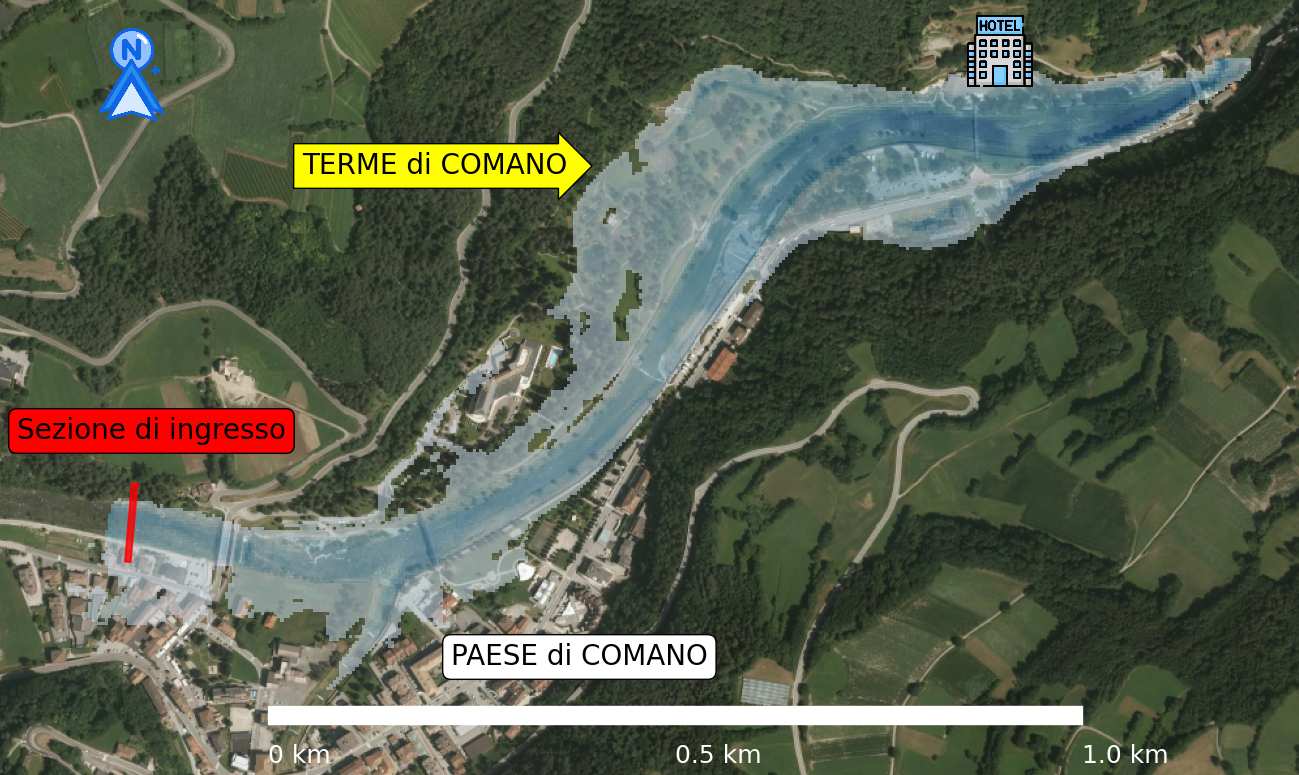

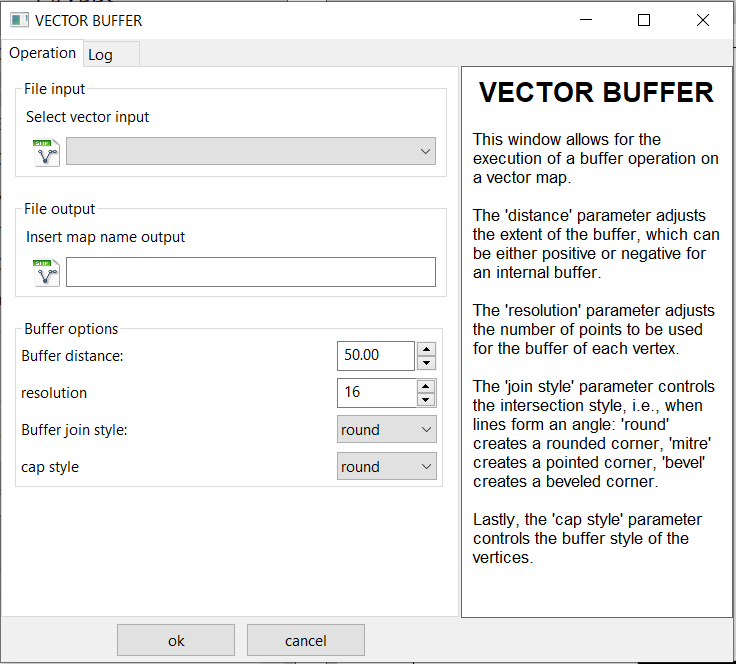
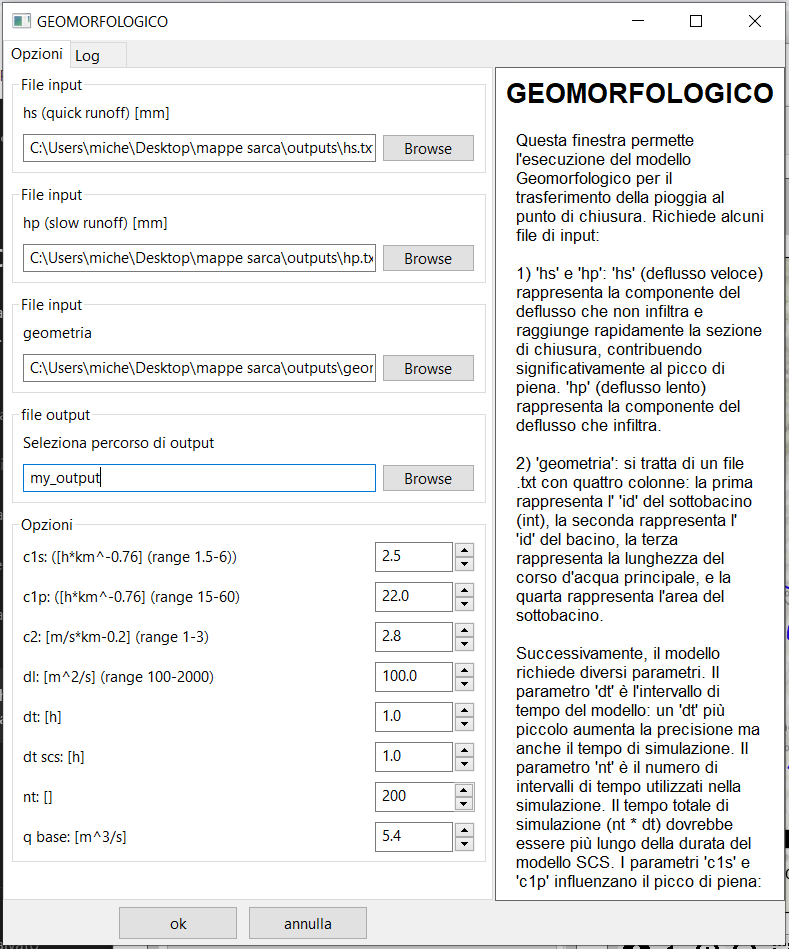
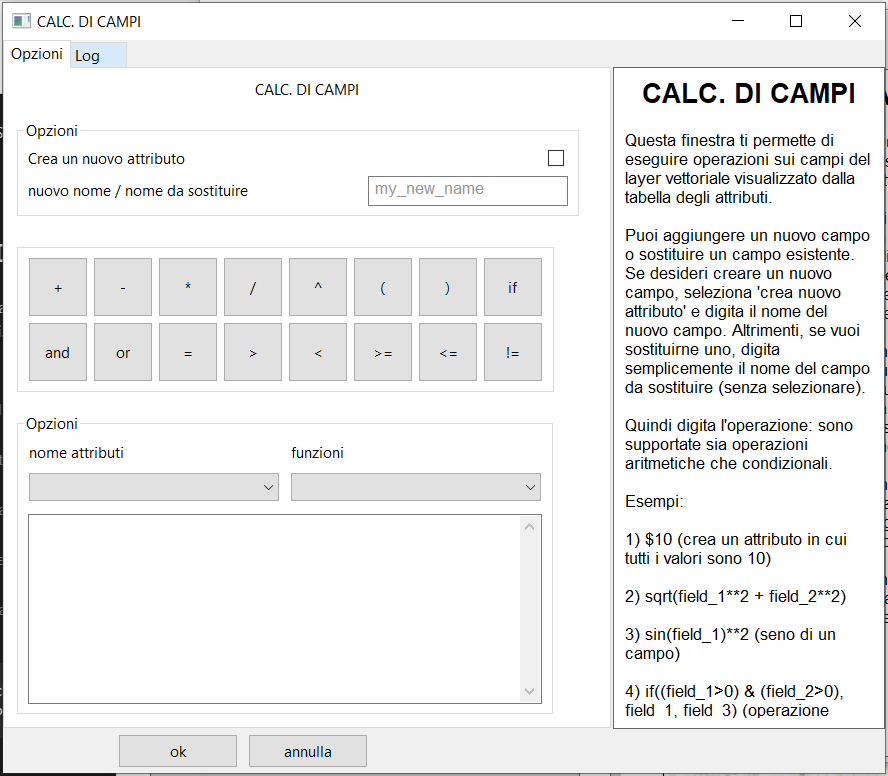
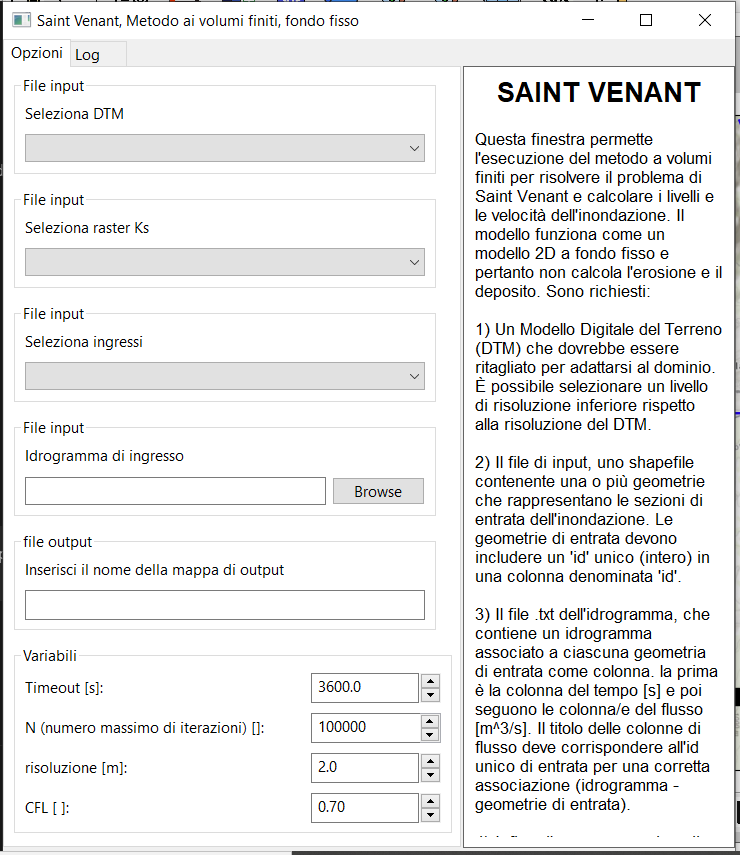
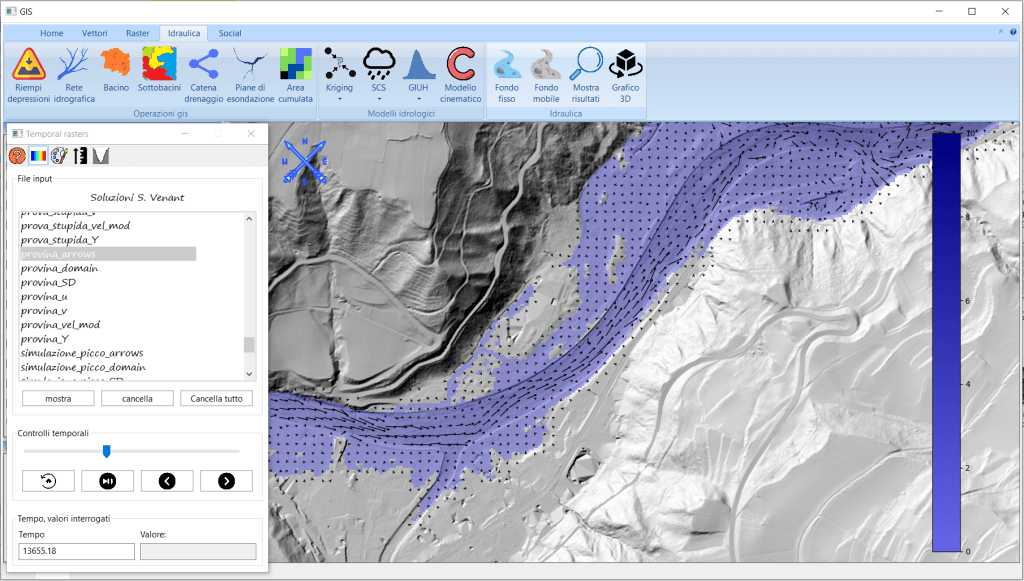
Simulazione idraulica sul fiume Fersina, a Trento, con il software hydro-gis Finestra per la creazione di un buffer vettoriale esterno o interno ad un file vettoriale Output simulazione idraulica: altezza dell’acqua Rappresentazione grafica della velocità dell’acqua durante un evento di piena finestra per il lancio del modello idrologico geomorfologico (GIUH code) Calcolatore raster del software hydro-gis Strumenti di disegno di geometrie vettoriali con il software hydro-gis tabella attributi Finestra per l’esecuzione del modello geomorfologico (GIUH code) con il software hydro-gis. Finestra per ila creazione di un buffer vettoriale con il software hydro-gis Finestra del calcolatore di campi del software hydro-gis Finestra per l’esecuzione del modello cinematico (o razionale) con il software hydro-gis Finestra per la simulazione di un’onda di piena con il modello a fondo fisso di hydro-gis Esempio di composizione cartografica realizzata con il software hydro-gis Esempio di composizione cartografica realizzata con hydro-gis Strumento per la misura della distanza nel software hydro-gis Output simulazione idrodinamica: modulo della velocità Sezione gis dedicata ai vettori del software hydro-gis Sezione gis raster del software hydro-gis Sezione idraulica del software hydro-gis







Software still in development
While the sixth version of the software is already available, it is still in the development phase as it needs to be tested in a wider range of scenarios.
Given the above considerations, your feedback as a user is invaluable. Let me know what you think of the software, test it with your projects and ideas, and, if you’d like, report any issues or bugs.
If you download the software, please consider to email me just to let me know it. I hope you’ll enjoy hydro-gis, a smart software for GIS, HYDROLOGY and HYDRAULICS.
Author:
Michele Zucchelli, born in 1995, is an engineer with a passion for programming. He holds a Master’s degree in Environmental and Territorial Engineering, which he obtained from the University of Trento in 2021.
With the valuable contribution and collaboration of Matteo Dolzani, Business Financial Expert.
With the contribution of Stefano Zucchelli, Master’s Degree in Forestry.
Trial duration:
From several months to a year
Contact:
michele.zucchelli95@gmail.com

Software HYDRO-GIS
A smart software for GIS, HYDROLOGY and HYDRAULICS
$ 00,00
Supported languages: Italian and English. Only compatible with the Windows operating system.
You can download for free the software from the provided link, or simply click on the download button:
AT THE PRESENT MOMENT HYDRO-GIS IS UNAVAILABLE
AT THE PRESENT MOMENT HYDRO-GIS IS UNAVAILABLE
Contact
Problems with hydro-gis installation?
Questions, comments, or requests? Feel free to contact me; I’ll be happy to assist you.
Adress:
Via padre Benedetto Bonelli 2
Trento, TN, 38122, Italy
Contact:
michele.zucchelli95@gmail.com
+39 388 86 24 316